

UPeSIM: eSIM Travel & Internet
August 07, 2024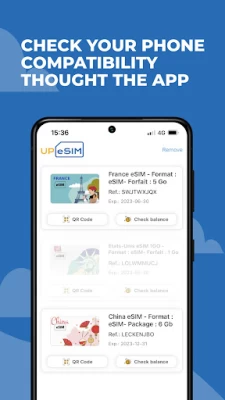

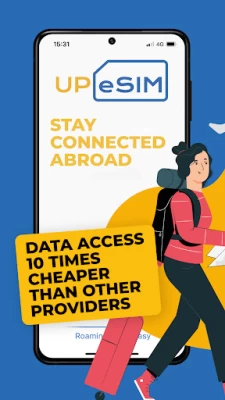
More About UPeSIM: eSIM Travel & Internet
UPeSIM offers a solution for travelers using Android, allowing you to connect to the best cellular networks around the world, whether you are a digital nomad, a business traveler or simply looking for adventures around the globe.
- Available in more than 200 countries/regions from 1.99 Eur
• United States / USA
• United Kingdom
• Türkiye
• South Korea
• Japan
• Canada
• Thailand
• Indonesia / Bali
• Morocco
• Colombia
• India
• South Africa
• Mexico
• Egypt
• Dominican Republic
• Chile
Why choose an eSIM rather than a traditional SIM card?
- BENEFITS :
1 - Keeping your telephone number: Keep your usual number without any worries.
2 - Ease of use: No need to configure anything or remove your usual SIM card.
3 - Significant savings when traveling: Benefit from quality service at a lower price.
4 - Connectivity in over 200 countries: Stay connected wherever you are.
5 - Packages adapted to each country: Choose the packages corresponding to your needs.
6 - Checking compatible devices: Check for free if your iPhone or iPad is supported via our app.
- COMPATIBLE PHONES:
Compatible with a wide range of phones starting with eSIM.
The UPeSIM app will display a message if your Android is not compatible.
- AN ECONOMIC SOLUTION:
Our eSIM allows you to save while staying connected thanks to prepaid, no-obligation data (internet) plans.
Avoid roaming fees and unnecessary charges with our portable eSIM that can be downloaded directly to your device.
UPeSIM is much more affordable than your usual provider, as thousands of users each month who travel with our eSIM have found.
You simplify the management of your budget by avoiding unpleasant financial surprises.
- BEST TRAVEL DATA PLAN:
Enjoy simplified and flexible data roaming worldwide, covering many countries and regions.
Our eSIM lets you benefit from 4G LTE and 5G for tethering, mobile hotspot and Wi-Fi.
Whether you're traveling for business or pleasure, our eSIM gives you fast, affordable connectivity compared to your regular carrier.
- FEATURES OF eSIM TECHNOLOGY:
+ Keep your SIM card if necessary.
+ Save your number for Whatsapp and other apps.
+ Network at 4G / LTE and/or 5G speed.
+ Easy change to a local network.
+ Internet connection sharing still possible.
+ Exceptional reliability.
- SIMPLE AND EASY TO USE:
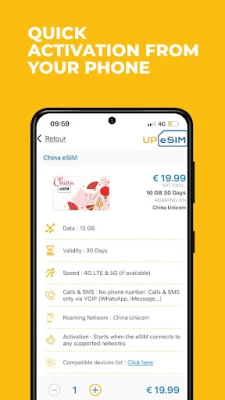
Instantly download our eSIM via the free UPeSIM app available on the Google Play Store.
Check the compatibility of your device via the app.
Follow the 3 simple steps and let yourself be guided:
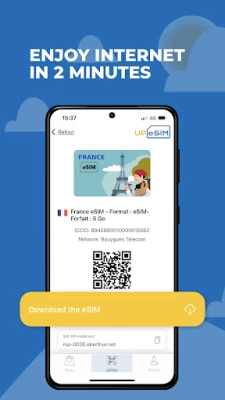
1 - Download your eSIM in one click.
2 - Activate roaming on your eSIM.
3 - Select the eSIM from UPeSIM for cellular data.
Instant delivery of the eSIM card in the application but also by e-mail, accompanied by a QR code.
- CUSTOMER SERVICE :
A question? Our customer service is available 24/7 with an average response time of 15 minutes.
- SECURE PAYMENT :
Benefit from 100% secure payment via:
- Visa and Mastercard bank card
- PayPal
Try UPeSIM now, the economical solution for your travels around the world and save up to 10x roaming costs when traveling outside the United States, Canada, Asia, Russia, Oceania, Central America, South America, the Middle East, Europe or anywhere in the world.
HAVE A GOOD TRIP !
–
LEARN MORE ABOUT eSIM AND UPeSIM:
Follow UPeSIM on Instagram, Facebook, TikTok, X and LinkedIn.
Latest Version
1.9.9
August 07, 2024
UPeSIM
Travel & Local
Android
30,427
Free
com.ogloba.ew.mysim.android
Report a Problem
User Reviews

KM DS
2 years ago
Does not work in Turkey. APN setting did not help. By the way: there is no problem when I use your competition's products (like MobiMatter)- they work flawless without neededing of any APN manual configuration.

Paul Tuico
3 years ago
It's simple and easy to use. Great customer support! 👌 I have a lot of esim apps but this one is definitely most reliable and affordable.

Yulia Stephansky
3 years ago
Quick and effective support. Unfortunately I couldn't use this app on my phone since it doesn't support eSIM but I received very quick response from the support team to identify the problem.

Dallas Dean
3 years ago
**Update: after working with customer service we were for to get it working properly. Changing to 5 stars ** Connects to the network, but doesn't provide data even though the signal is strong

Nugraha Widhy
1 year ago
It's helpful for them who wanted to travel around the world!

Vincent Bulota
2 years ago
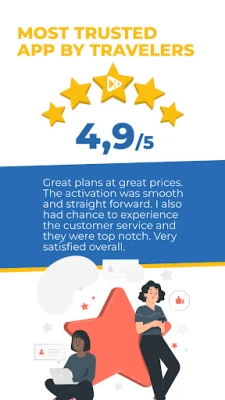
Great plans at great prices. The activation was smooth and straight forward. I also had the chance to experience the customer service and they were top notch. Very satisfied overall.

Dmitry Sauliak
4 years ago
Well done app and friendly support But be sure to check that your phone really supports eSim (especially Samsung with it's dozens of same phones, but with different configurations) to not bother the support team with your problems)

Alexandra Rak
2 years ago
Great app and superb customer service. I had some difficulties with installing the app and contacted customer service. They were super quick to respond and solved my issue.

Akaash Mishra
2 years ago
I have used it in India and Mexico. If you have any troubles with installation or activation, their customer support is really awesome at troubleshooting and getting you connected as soon as possible!

Gaik Imm Tan
3 years ago
UPeSIM is a very covenient and hassle free way without having to hunt for a physical sim card when travelling. Easy guidance for installation, works great and prompt and efficient customer service as well. I would highly recommend UPeSIM.

Fernando Díaz Pendones
3 years ago
There are several troubleshooting that needs to be done in order to be able to download the E-SIM. 1. Remove the Home country sim card 2. Make sure you are coping the right code 3. After download select manually the network and turn on the roaming data option. Customer service it's really helpful and don't give up easy on you and might need to exchange several emails.

Pin Yuan
3 years ago
There are a few eSIM apps but this is by far the best. The customer service is super responsive and helped me solve the issue quickly. I was having a miserable day at Amsterdam Schiphol airport, only found a prepaid SIM card will cost €40 for a month!! This app made my day less miserable. I'd recommend this to anyone!

Cindy Wong
2 years ago
Cheapest esim for Korea that I could find. The code didn't work initially so I emailed the company and they replied really quickly. I'm not sure where they are based but they replied to me in probably 15 mins and it was late evening in the UK. They were fast to resolve the issue and sent me all the information I needed to set up the esim. The esim worked when I got to Korea and even though it was only compatible for 4G even on 5G phone the internet speed was still really good and steady,5 stars!

Corey Ott
3 years ago
So helpful! Can only recommend ..🌺 works on most phones and is fast and easy to install. Would definitely recommend making sure your phone is compatible but, if you have trouble, contact them. They resolved it together with me, super quick and so friendly. Thank you guys.

Susana Fernández
3 years ago
EDITED: The eSIM didn't work for me. I spent one hour emailing with support before asking for a refund. They did refund my purchase without any issues. If you have an iphone you will probably be OK. They really need to upgrade their support for Android phones, I kept getting instructions for iPhone set up that didn't really work for my phone.

Uzi Cohen
3 years ago
The purchase process was very convinient and the prices are compatitive and very reasonable. The only gotcha I had face was using the eSIM QR code on the same device. I ended up taking a photo of the QR code with another device and using the picture to scan the QR code to my phone (under connections->Sim manager -> add) (Samsung s21 ultra). Customer service was also very nice and responsive.

Stephen D'Arcy
3 years ago
This is by far the easiest way to travel. Easy to add new eSims and amazing customer support. I had some "user error" issues and the support team were very quick to assist. A lot cheaper than paying roaming charges on your home country postpaid plan. One of the main pros: No more queuing at an overseas kiosk having a stranger photocopy your passport just for a prepaid SIM.

Gaetan Girard
1 year ago
Very user-friendly app, easy to use and great customer support, prompt replies and very reliable!

Plafar
1 year ago
Bad. Did everything the video said and it didn't work. The only reason I give 2 stars instead of zero was because customer support was fast in responding and ended up solving the problem.

Isaac Ettien
1 year ago
The sim is working great for Istanbul. But be aware to activate roaming for all network. My phone was set by default on roaming on national network so it didn't connect until I activated roaming for all network. And don't forget to deactivate others SIM









