

UBS MobilePass
October 28, 2024
More About UBS MobilePass
Latest Version
2.1
October 28, 2024
UBS AG
Finance
Android
116,454
Free
com.ubs.mobilepass
Report a Problem
User Reviews

Peter J
3 years ago
Practically every month the app needs to be reinstalled due to Biometric change error when using QR code. In fact nothing changed on the phone. The OTP works fine even though it too uses finger prints.

Anjan Manjunath
5 years ago
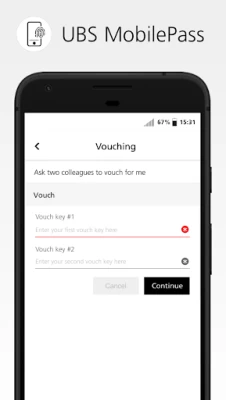
Requires 2 vouch codes when the app is updated or the phone is updated, meaning we cannot login on weekends suddenly. Why do we need to enter vouch code over and over again ?? Edit: It now asks you to enter username into the app, everytime, for some reason. Horrendous app !

Reto Grossenbacher
5 years ago
Indeed a horrendous app. Authentication could and should be done miles better than this half baked app that must be tolerated on my personal device. The second star only because the not required contacts permission has finally been dropped, but still not entirely convinced this merits two stars.

James Perng
4 years ago
The app keeps crashing daily, making it impossible to login. I have to uninstall/reinstall, and get vouch codes to get the app working again. However, by the next day, the app is broken again. Please fix this!!

Atin Doogar
3 years ago
Reinstalled a few days back as it failed to recognise the fingerprints. Now failed again after a few days fornthe exact same reason. Although I am able to unlock the phone without any issues. Cannot register my fingerprints again just to ensure that the app works fine again

Matt Fischer
4 years ago
Whatever mechanism is used to recognize fingerprints is awful. I have multiple apps thst use the fingerprint reader with no issues at all. This app fails to recognize on a regular basis. Absolutely inexcusable in this day and age

Krisztian
4 years ago
0 _____ If there is some problem with it then you need to reinstall the whole app...It doesn't tell you exactly what is the problem but you need to reinstall and find 2 collegaues to enroll it again which is not the most simple thing when you can't access to your VM(when you are from home) because of the issue with the app. Very poorly designed UI. +Other issues. Please do not deactivate Veredium because that is the only way to overcome this issue, until the UBS app's quality is that low.

Anurag Sri
5 years ago
Wipes out the fingerprint authenticator every time you restart the phone. If you do want to restart the phone make sure you have asked your colleagues at work to help you set up your app again because the app would wipe out the authenticator and require you to uninstall and reinstall the app for you to be able to logon to the system. Pretty sure this is a security feature but a minor inconvenience worth living with for us little people. Please forgive the 1 star. It's me not you.

kimberly mcdaniel (Momma)
2 years ago
The app will frequently give me an error because it will not recognize my biometrics, and then lock me out. This is inexcusable, it wastes time for myself and my colleagues and looks bad that I need regular assistance just to get logged in to work. I do not have any other biometrics issues with any other app on my phone. I have an Android 10 device. Please fix this, I am not able to work in-office due to medical and personal reasons, I HAVE to have this app to log in to work every day!

Scott Cameron Pedigo
5 years ago
Not happy that app requires access to my contacts. I suppose this is because that is where my own biometric data is stored? There should be a higher granularity where I can grant permission to just my biometric data, not just "Contacts" which is potentially all my contacts. If I don't want to violate the privacy of my family and friends, disclosing their names and private addresses, phone numbers, and e-mail addresses to a 3rd party, then I need to buy a separate phone just for authentication?

Arco Lino
1 year ago
The app said my device was locked, I had to unlock via my hub, then said the biometrics changed (not true) and asked me to uninstall. After installing back, I need 2 vouches from colleagues. It is evening and no one will vouch me and there is no other way I can access the system.

Bartosz Jankowiak
2 years ago
Horrible app. Constant problems. Newest ones: - says phone is jailbroken/rooted when it's NOT - says biometrics settings changed - No, they did NOT! - this particular issue appears so often that people must re-install the app at least once-twice a month - says "Approval Session Expired" - no! I just clicked it. Clearly, checks are performed incorrectly and errors thrown very randomly. Guys, get to work and fix it finally! Are you not ashamed?

S M
3 years ago
0/10 So the reason this cheaply made app crashes on the biometrics side is to do with the phone make. It's stable on iphones but not other makes. My pixel phone biometrics are not very compatible with the app which is not my phone's fault it just means the app is poorly made since it claims to be Android compatible. The other reason and no one tells you is you may need specific zone vouch keys at times so it's not enough to get these vouch keys you also need to have them from the right people.

Hao Truong
2 years ago
Bad fingerprint reader causes me to reinstall the app and get vouch codes regularly. Device pixel 7 Phone thinks it's a failed and tries again and again within split seconds. This will result in too many failed attempts and blockage of account before I even had the time to lift my finger. A delay has to be built in to avoid that or a restart or the process before it just blocks the account. We (me and my team) are wasting time with reinstallation and vouch codes....

Abdul Kayum Kalim
3 years ago
Generally it's quite quick to use. But after the latest update the app keeps crashing (even after restarting phone, reinstalling, re-enrolling)! Local UBS IT support said it's a known issue for OnePlus phones and the temp workaround is: remove location permission for MobilePass app or just turn off GPS to make the app work. That did the trick.

Nick T
2 years ago
Horrible issues logging in with this app and bug with having to uninstall and calling tech support multiple times a day after logging in due to losing camera access somehow. Doesnt work with Android unless u wanna restart the app and uninstall and install and ask for vouch codes every time. App also asks for access to confidential data on your phone? This app is honestly made from the tears of programmers everywhere as it's truly an abomination

Brenda Na
3 years ago
Not compatible with android OS under 10. Also not compatible with phones bought online, considered jailbroken. If you get a new phone (I did) don't do a smart switch from old "jailbroken" phone or it will carry over the information and still not work. You'll have to do a factory reset on new phone. Good luck everyone!

Felix L.
2 years ago
Per the Service Group, there's a workaround to the highly annoying "Device biometrics have been modified" error. Uninstall, remove all your biometrics (e.g., fingerprints), reinstall, and then add back the biometrics. I did that a few months ago and haven't had the error since! Would be really nice if they updated the error message to point users towards this!

J Redick
2 years ago
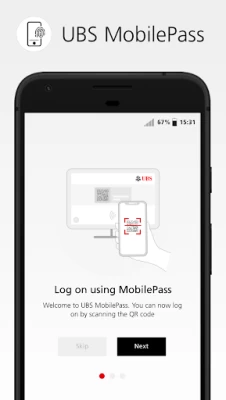
Was told the app requires Android Version 10 or above. My old phone had Version 9 and couldn't be updated so I just purchased a new phone that operates on Version 12. I'm still experiencing the same issue. Can't get past initial login screen. Neither the 'Next' nor the 'Skip' button works. I've uninstalled and reinstalled the app multiple times with no luck. Please fix this ASAP.

Filipe Bravo Pina
3 years ago
Since the last update, it is crashing for me on the camera screen, just before the scanning of the QR code. No error message, just a crash. And I had no issue with this app in the past, so please roll back this update or fix it. And yes I have tried to restart my phone, reset the app, delete cache and storage, re-enroll, even reset the phone! It still works on my Samsung tablet though, but I don't want to carry a tablet around to login for work, nor I am buying a new phone (mine is Android 11).









