Touch Lock - screen lock
September 21, 2025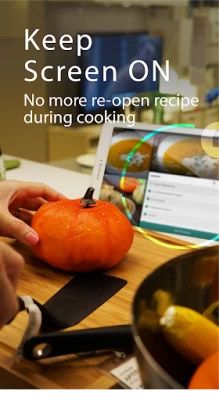
More About Touch Lock - screen lock
-QR Code's strongest assistant tool: whether you're boarding a plane or taking the subway, it takes only a second to scan your electronic ticket.
-A good help for cooking. The app keeps the screen on so you can read the recipe
-Take great underwater video. The app prevents interference from water touching the screen
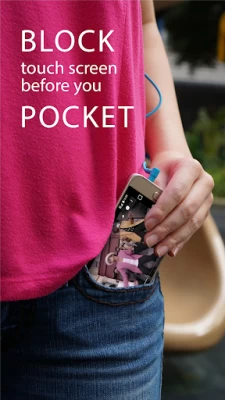
-No interruption to your navigation: you can open a map and put it in your pocket
-You won't have to worry about your screen going to sleep automatically when you're copying texts or displaying content on your phone
-A marvelous gadget screen freezer for mobile games: no more accidental stopping or exiting due to the touching of screens and buttons
- Isolated lock-up of physical whether you're looking through your photo album or playing a game, you can retain easy control
- Enjoy a one-handed cinema: you can walk about while watching your favorite TV series without being interrupted
- It takes one second to transform into a drawing board: a good tool to help you develop your drawing skills
-Turn your MV into a pocket music player anytime
-Drive with a locked screen and make your driving safer
-In the rain I can be sure whenever I look down the correct screen is being shown and my ride is being logged
Which will enable:
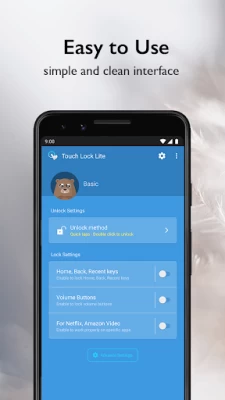
- Soft key lock (Home, Back, Recent app buttons)
- Volume keys lock.
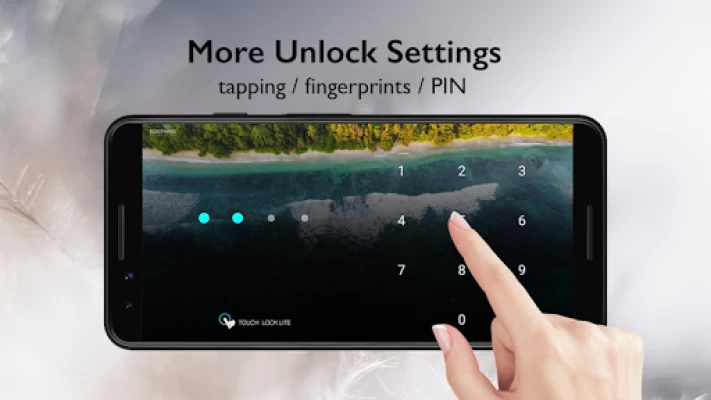
- Fingerprint sensor lock/unlock.
- Full screen mode.
Go Premium
- Hide Unlock Screen
- VIP Services
- More New Features
LIMITATIONS:
-Due to the Android Policy. Device power button(lock button) cannot be blocked.
-To disable touching soft keys, you must enable accessibility permission first.
-This app does not make your device waterproof or water resistant.
-Your device must have a fingerprint reader to use the fingerprint unlock option.
ISSUE
-If the video always paused when you disable screen on Netflix or Amazon Prime Video , please follow this User Guide , but don't forget enable Usage Access permission
https://goo.gl/LtzxLa
-How to hidden blue message on Setting
https://www.youtube.com/watch?v=T-swRDdXF-k
-How to enable in Mi Phone/Pad (Xiaomi)
Step1. please go to settings and tap the Installed apps .
Step2. find the Touch Lock app and enable the "turn on floating windows" , now you can see the Touch Lock notification on your mi pad
Step3. go Settings—>Battery and performance—> Choose Apps—>Touch Lock—>No restrictions.
Although you might receive a privacy warning, Touch Lock never observe, collect or use any of user's privacy data.
Official Site : http://www.kidscrape.com
Some Photo License :
- White Feather Photo by evieshaffer on Unsplash
- “image: Finger”. This cover has been designed using resources from Freepik.com
Latest Version
1.0.20054232 GP RELEASE
September 21, 2025
KIDSCRAPE PTE. LTD.
Tools
Android
3,467,807
Free
com.kidscrape.touchlock.lite
Report a Problem
User Reviews

Chris Davey
4 years ago
Having a slightly damaged screen, my phone regularly minimises Apps whilst in use. Using this app to disable those three on-screen buttons should prevent that from happenning, however despite having the feature on, it doesnt stop the home button from working on my device. This means it sporadically closes everything whilst i use my phone. I assume it's working to prevent the back button mis-firing, but maybe that one is just entirely broken! Hard to be sure the app is functioning at all... !

Gaswe
3 years ago
I had the app on my phone using it often only to change phone, not having the app installed along with all my other apps, to see that it's now a freaking subscription. I can literally get the same service from literally any of the dozens of apps that do the same thing thank you!

bella alvarado
4 years ago
It's very irritating if your an artist. It freezes your screen but if your trying to trace over or put any slight pressure on the screen to steady your hand a stupid blue circle pops up blocking your screen giving you the option to unlock it. It doesn't go away and you only get your image back until preasure is lifted or you put to much pressure and unlock the screen and you move your image. You cant trace well if you have to hold the pencil horizontally so nothing touches.

Monet
3 years ago
Great app. I use youtube music so i cant turn off my phone and play music at the same time, i work alot and i like my music but its a struggle just putting it im my pocket. It really messes with the music and exits the app sometimes. And i gotta say, this app is a lifesave! All those worries are a part of history now lol! 5 stars.

Hemesh Mendis
4 years ago
This app was perfect, it worked well for the kids which was the reason I paid for it on BOTH my wife's and my phone. But then the app stopped working, like completely, wouldn't even open from the app drawer, it said 'needs to be enabled' but enabling it was impossible because it wouldn't open. I reinstalled, thinking I'd be reinstalling the paid version but it installed a Lite version with no preem features, now there's a monthly subscription instead for those features. GREEDY VULTURES!

christell Allers
4 years ago
It works ok, but my 6 month old daughter can still pull down my notifications bar and click on any of those apps. She can still get to my Samsung pay options and can still pull up the video bar on YouTube, as well as hit any notifications that pop up on my phone including Facebook messenger. I would like it to be able to do none of that. Can't touch anything unless you unlock it with the double tap.

Dianna Hester
5 years ago
I've been looking for an app like this for a LONG time. I got so sick of putting my phone in my pocket, purse, gym bag only to hear my music playing by itself, a caller saying "HELLO?" or random setting options changed without my permission. I took a guess and thought why not check to see if there's anything out there that prevents this and WHOLA!!!!! there was!!!! This app in all its simplicity is awesome & a great tool!! Thank you!!!!

Rabie Jebbor
1 year ago
Great app works perfectly. But it's crazy To have a subscription-based payment model for this kind of apps. I tried it for a few weeks then I was ready to make a one time payment of up to 10 euros to get rid of ads, But when I saw that it was monthly payments I just switched to a similar.

Brenda Cuevas
2 years ago
Got rid of the app, used to work amazing where the screen will completely lock, including the home buttons and the swipe panel. Now it just locks whatever you are on but you can access all the buttons and panel. Pointless now to have since this app is supposed to either lock EVERYTHING or just the panel and home and back buttons. Don't download the app, not worth it at all anymore unless you want to just have app sitting and wasting space on your phone, again it doesn't do what it says it does.

Pawel F
4 years ago
It is very useful against children and some previous version helped me to stop answering calls with my pocket but that functionality disappeared, I'm wondering why? Also I paid for the full version but now there is no mention of that (on the contrary, the sad bear in app with label "Basic" next to him) and the app has suffix "Lite"? What happened to regular app with "Premium"? Strange

Alan Wilson
4 years ago
By far the best Touch Lock App. Try the others and see if I am right ? Just touch the on-screen symbol "quickly twice" to unlock it. Allow notifications to get the app going. Activate it from your notifications area when needed. Easy as pie to use when up and running. Very useful excellent app. Thanks Guys !!!!

A Google user
2 years ago
Somehow my daughter is still able to close her YouTube video and go back 10 seconds in the song. I have to close the app, watch an ad then reopen the video for her to watch again. Not convenient when dealing with a toddler on verge of a meltdown which is why they got a distraction in the first place. No idea how to fix it. 2 stars because it works but if your kid is holding your phone or tablet they can still use their magic little fingers and cause mischief.

Danielle Smith
3 years ago
Worked well enough for the my use case (tracing images from my screen without bumping the image) however I'm going to blunt here I think the business model sucks. Rather have a free unlimited version with very basic features and sell a pro version with more features. Let me know if this changes and I'd love to use your product again.

Emily Hayes
2 years ago
I use this for my toddler to watch YT without messing with the video. however my toddler is still able to manipulate the screen all the time. It's not touch proof AT ALL. The app decides when it wants to work, she can still exit YT, pull up suggested videos, forward and rewind, but it's all at random times because sometimes the app does work. Not worth the hassle.

katemcbride913
4 years ago
I needed an app to lock my volume keys because I always touch them when I just hold the phone and unintentionally silence it! This app had a feature to select that would lick or not the volume buttons. The problem was that there was no way to not lock the screen also! I couldn't lick volume without also locking screen which I did not want! I can do that already by pinning it. Also the instructions were vague...

Gavin George
3 years ago
I paid for this app, now after I've installed again after a long time of not using it, it asks me to subscribe to a monthly subscription. Why should I subscribe to something I've already bought in the past. Horrible service!! And yes I've installed it on the same device. Scammers! You reply to my message saying you're giving a refund and then provide a fake email.

Doug Sopp
4 years ago
Previously paid for this app a couple of years ago, but now it's switched to a greedy subscription format they want me to continue paying. This app is useful when it works, but certainly not worth a monthly subscription. UPDATED : They've sent me a code for only 3 months "free" premium, but the code doesn't work!

Cassidy Spear
3 years ago
Only issue is sometimes my kid does some work on the phone and i have to restart the phone to unlock it lmao and change the setting every now and then, another issue is it doesn't work with every app but most of them. I put a movie on for my kids and they can't lock it or change the volume or unlock the screen it's great only one I'll use from here on out.

Cedomir Rebic
2 years ago
I've just installed it and played with it a lot. I see why it has so many negative comments: with several special permissions (some are full phone access) needed and a lot of settings it is not easy to configure it properly and can be confusing for non-tech person. But if all permissions are granted and advanced locking ticked in settings, all is working perfectly and as described. 5 star, well done, thanks.

Jennifer Rolen
2 years ago
Good idea. Poor execution. This app only works under certain specific conditions. I tried using it to lock a picture so I could trace the image but the image kept resizing even though the screen was locked. But then the lock wouldn't allow me to size it back to the way it was. So I had to unlock it, watch an ad, resize the image, and re-lock the screen. Useless and irritating.









