
Synology LiveCam
December 24, 2025
More About Synology LiveCam
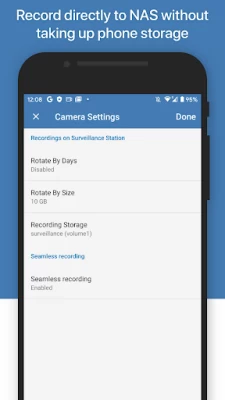
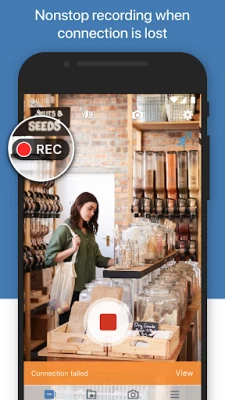
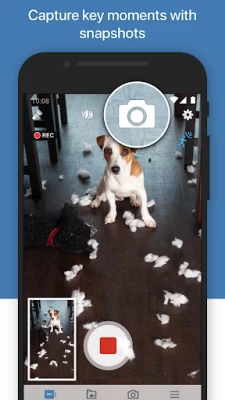
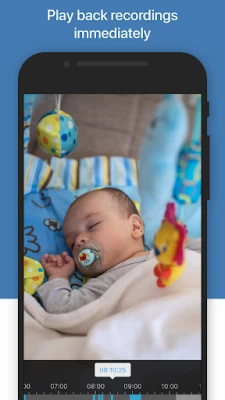
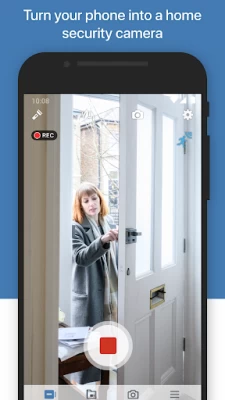
With Synology LiveCam, you can turn your mobile device into an IP camera and pair it with Surveillance Station. This not only allows you to view live streaming, recordings, and snapshots on both Surveillance Station and your mobile device, you can also download and store the files locally for saving and viewing.
Latest Version
1.1.3
December 24, 2025
Synology Inc.
IT Tools
Android
162,747
Free
com.synology.livecam
Report a Problem
User Reviews

Tristan Pretty
5 years ago
Connects once to my Nas. Then is disconnected forever. If I remove & re add.. works for a few seconds, then perm disconnected. I've played with settings on my Nas & my phone. Nothing.

Chandrajit Rudra
2 years ago
This App constantly records to the NAS despite NO Motion detection!!! I wonder what motion detection feature on the app has a role for!! Keeps NAS HDDs always spinning recording constantly when there is no motion!!

Jeroen Wedda
5 years ago
Installed on Tab S5e. When it works it works. However the app will not stay up and running. Battery savings and the likes are turned off.

Dan Pacurar
4 years ago
Its dumb that on the nas itself you can use live cam. But you can't use the app. Cause you need another license? No thanks. I paid for extra licenses for my camera. I shouldn't have to pay to see them.

Adrian C
3 years ago
Disappointing that it asks for a very expensive license to add even one camera. I paid for the NAS device, I paid for the HDD/storage, I should be able to use it. It uses our resources not yours, so why pay more for this license ?

A Google user
6 years ago
What a rip off, spend £600 on the NAS, only added 2 cameras and to use this I have to buy extra licenses, come on Synology don't give yourselves a reputation of being scammers when you don't need to. To charge extra to use This program is disgusting.
A Google user
6 years ago
Constantly records to the NAS which is cool if you want to burn your drives out. Recording when motion is detected would be much better, I will not be using this, so therefore will rate it one star.
A Google user
7 years ago
It would be better if it can control the camera to record, stop and turn on/off the flashlight from the surveillance station remotely.

Roman Kotchetov
2 years ago
What trash. Pixel 2xl (android 11) can't pair, just says operation failed when pairing (Even though it knows that I'm out of cam licenses??!). Using same otp code pairs with second phone just fine. While on the second phone, Pixel 8 pro, the image is stretched (what year is it that this is still a thing?) and the app crashes the second the record button is pressed (with all permissions granted).
A Google user
6 years ago
Thought this app would covert old mobiles into security's cameras, however the motion detection does not control when it records but instead only sends the NAS a notification that it saw motion. So if you like recording hours of nothing to the NAS this app if for you. I was really considering buying licenses for this, so I could use my old phones and buy second hand ones on the cheep but not any more. & the lack of control of the flash light, rez, frame rate etc. from the NAS side is a let down

Morow X
5 months ago
I wish there was an option to choose the camera, as it always defaults to the 1x lens. Why is 1920x1080 the maximum resolution available? Also, is there a way to turn off the screen while keeping the program running?

Indy Indy
6 months ago
don't bother installing, it doesn't work as it's supposed to. 1. Synology server at home, you have max 2 free IP camera license, extra 60 euros per licence, and these can be bought only from dealers. 2. the surveillance cam App identified ( Samsung S9 and Samsung A52s) no problems 3. the Synology live cam app is designed by a child, with hardly any configuration possible . 4. App and the screen needs to be LEFT ON for the app to work ( locked phones it stops working)

Didier Huaulme
5 years ago
Well, this is very well but the app doesn't recognize my cameras licenses and there is no option to add it manually, a bit amateurish for Synology Edit. I may have misunderstood the app, apparently you need an extra camera license (got 6 already) to use it, which make this an £60 free app. No thank you, will stick to DS Cam

Liam Corbett
5 months ago
Jesus. I'm glad I'm only setting this up as an interim solution while I set up Frigate and HomeAssistant because the app doesn't make it past the first screen before crashing so many times that Android needs to step in an kill it.

Rahim Ahmed
11 months ago
Frequently disconnects, allowed me access once, and now refuses to connect. It’s even asking for a license. I only have one CCTV camera linked, and adding my mobile would make it two. Complete waste of time. To the developer: don’t bother wasting any more time on this. There’s no need to respond, and please avoid treating this platform like a place to showcase customer service, as users are far more concerned about the app’s functionality.
A Google user
6 years ago
They messed up a very important feature with this (support has acknowledged it with me) the app that runs on the phone that’s acting as a IP camera has a switch to turn on the led to help see in dark environments but there’s no access to the led from DS cam?... I guess Synology either wants you to leave the LED on 24/7 or run home to turn it on when something is happening that you want to see and record? I think this was a major oversight by Synology! I’m happy with most of my Synology NAS and
A Google user
6 years ago
Despite trying the app for a long time, giving the developers plenty of time to improve, unfortunately it is a let down: the network and the phone are working perfectly while the app gets stuck and is unable to reconnect extremely often. As a consequence, you are just grounded and need to manually access the mobile every couple of days, to close and open the app again...pretty pointless for a surveillance product, isn't it? Standing by while still hoping to see the improvements needed soon.
A Google user
6 years ago
Great first impression! I didn't even know this tool existed. Just stumbled upon it while installing other Synology tools on my new phone. The only annoying thing so far is that the picture on my phone flips upside-down as soon as I start recording. On the NAS the picture stays like it is but on my phone it is always rotated while filming. It flips back to normal when I stop recording. Quite weird.

Topo Carrara
1 year ago
There is an app lock, but it's not possible to lock either the device or the app while recording. This means that anyone who enters the recording area can just pick up the phone, stop the camera, and delete all the recording from the NAS. And the screen stays on all the time, so, beside making the phone very hot, even at the lowest luminosity, you notice it immediately in the dark. This is just insane and makes the app completely useless.
A Google user
7 years ago
I've tried many IP cameras, configuring them, syncing then up with different surveillance software, etc. I was blown away by the simplicity of live cam. Install in your old phone, set the sensitivity and your done! Synology takes care of the rest: adding the new camera, storing the video feed, and it just worked! No lengthy setup, trial and error, just seamless. Of course, the two free camera limit remains, but now that it works so well, it might be worth the effort expanding the license. Great job!









