

SmartLife-SmartHome
December 14, 2025
More About SmartLife-SmartHome
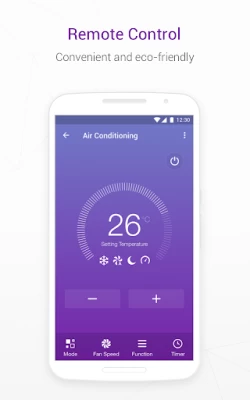
3. Timer: set timer to perform multiple functions
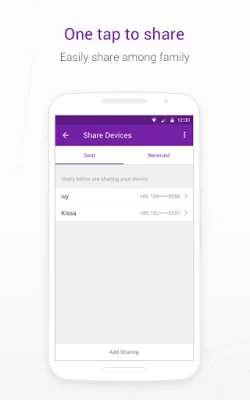
4. Device sharing: One tap to share devices among family members
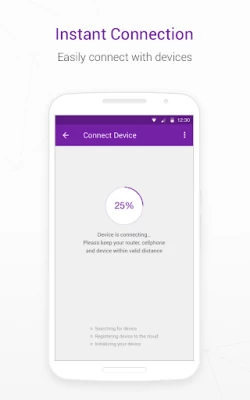
5. Easy connection: easily and quickly connect App to devices
Latest Version
2.1.1
December 14, 2025
ACSmart
Tools
Android
947,081
Free
com.tcl.smarthome
Report a Problem
User Reviews

Ishan Panta
4 months ago
No dark mode . No automatic set mode ( saving your favourite settings and applying at once ) . Others pretty good haven't had any big problems. Edit : why is this app connected to Google home but I can't use most of the ac features of ac like fan speed , eco mode etc through home sorely disappointed.

Jim Kunert
1 year ago
Works OK, but not fun to setup. Why can't I log in from another phone to retrieve settings? It insists on setting up from scratch. You could get all that from my account. Kinda thought that was the point of an account, not having to start from scratch on a reinstall.

B Bowen
1 year ago
It's a pretty good app. Should have a place where you can find explanations of some of the other options. Also, make the home screen have available dark mode. It's invasive bright in the middle of the night when you're trying to adjust the temperature. Even with settings on my phone for night mode.

Betsy U
2 years ago
The app only shows one number so I know its on 60 something but I don't know exactly what temp it says unless I walk over to the unit. Everything else works but I could use some help figuring out how to fix this please! I Uninstalled and reinstalled forced stop, I tried everything still didn't fix it.

Simon Mills
2 years ago
This app used to work perfectly for me and my 5 indoor AC units, but since the recent update in mid March it's become unusable. Now when I scroll down and perform an action on a device lower down the list, all devices above it disappear from the list and won't come back, even after a refresh. Sometimes when I close and re-open the app nothing now works, totally broken.

Jay Perdue
3 years ago
The app was pretty helpful with controlling all my ac units from one location and didn't have to worry about the remote. Really helped a lot when the screen stopped working on my son's bedroom ac I could still do everything from the app so I didn't have to bother trying to fix it. Now I have switched phones and it won't let me log in to my account it just keeps wanting an activation code when all my units are already activated. I just want to login with my email like I did on my other phone.

Yvonne Thorburn
1 year ago
App crashes before you can even add a device Who makes appliances that try and connect to wifi when you haven't ever attempted it before? And to be forced to use an app that crashed and says it has bugs? So let's let the 87 year old lady get ill from heat from a 8000 btu ac that's just an expensive hunk of metal being it wants to use wi fi, which is not needed, and can't even be put on the wi fi being there is no way to disable it besides the app that doesn't work!!@ I'll be calling tomorrow!

A Google user
6 years ago
Very fiddly app, with severe limitations. Was having immense difficulty in recognising WiFi, but worked after going in to settings on my phone and giving it full permissions. Instructions are very difficult to follow. Customer services simply emailed me a copy of the instructions. Cannot see state on Google home app, although controls work by voice (in the Google home app, you can't do anything)... If only there were a list of keywords somewhere. In summary: amateurish, buggy, unintuitive.

Ebonnie H
2 years ago
Will NEVER use again, WAY too much of a hassle. Was quite difficult to setup with my Teco portable air con, and quite impossible to use, would glitch frequently. IF I could get it linked, it would ONLY connect to a 5ghz wifi, but that bit of info was omitted from the book that detailed how to use the app along with more up to date diagrams.

Hamza Hafeez
1 year ago
I am suing this app with PEL Jumbo Prime. The app has potential but needs several key improvements to enhance its functionality: - The app should display the indoor unit's temperature even when the AC is turned off. - The app should monitor and display current electricity consumption by the unit, providing daily, weekly, and monthly reports. - The app should offer preset settings that can be activated with a single click. With these additions, the app would be much more useful and efficient.

Dan Rel (Pika Pichu)
3 months ago
Whose idea was it to have you make an account and then not let you sign into that account on a new device? Like that is so ridiculous. I no longer have an activation code for my unit because it's paired to my account, which means I should just be able to log in to said account.

Igounfazed
4 years ago
Sh--y experience. You need BOTH Mobile Internet and a WIFI network to make the app work with your minisplit. Company contact via eMail NEVER responds. NEVER. So sh--y customer service as well. Over 3 months trying to connect the app to the minisplit and Nothing Works. CF? AP? What? Only one of them transmits a signal, AP, and through the adding process, it turns off, then the app times out... start over. Same result. Contact company... no help. Just make an app that connects to the damn device!

G Cyntje
3 years ago
Bit confusing to navigate. You have homes, rooms, devices and accounts. The relationship was a little confusing. Add to this the device-specific confusion from Ocean a/c. Got it all sorted out. However there's one issue. I own a home in another country where a friend is looking after the property. It seems this software doesn't allow users from two different regions to view/share access due probably due to data privacy rules. Hmmm.

Dragos Cyber
4 months ago
update: the app works ok until a power outage. Afterwards the AC does not connect to the cloud, so it is limited only to local use. The AC has to be removed from device list and added again. works only when the phone and the device are connected through the same WiFi network. Even so, the device appears offline at first and takes 5-10 seconds to appear online. The app can link the device to Google Home and Amazon Alexa, but it always appears offline/non responsive therefore cannot be used.

Valeria
5 months ago
It's a pretty good app, but when I use it for my AC it doesn't show all features that the remote has and there seem to be some "miscommunication' between the 2. For example when I set the AC to eco mode, it changes the temperature to 26° if it had been set to less than that. Also, I can't activate the option "I care" from the device and when I use the timer I can't pick the eco function. I wish something was done😥

LaRhonda Turner
3 weeks ago
Recently got a new phone. When I try to access my AC units on my new phone, It doesnt give me a login option so I can pick up where I left off. It forces me to scan the codes again and start over. Very inconvenient. I have uninstalled and reinstalled and nothing changed. Please fix this bug because some people cannot go through this exercise everytime they change control devices.

Dave Parker
5 years ago
I just got this setup today, but so far I'm pretty happy with it. My only issues are: there seemed to be a problem with adding a second device with the same name as the first... There should have been an error message preventing this rather than just dropping the first device. Also, I can change settings and power on/off with the app, but I cannot adjust the temperature. Please fix these issues.

Kyle Wiesbach
3 years ago
Reinstall/QR code, Activation code issue workaround!!! If you have to reinstall the app, it will not let you just log back in. For Android phones, press and hold the app icon until the options to "Add to Home, Uninstall" etc comes up. You will have to click on "Add Device" and it will bring you to the login screen. The app lets you to share devices easily with family members, and control your devices reasonably well. I had no issues with setup on WIFI, use a 2.4ghz connection only.

lign Good
5 months ago
Only works on wifi. If your phone is not on the same wifi, the app doesn't work. when I first installed it it worked away from home as long as I had cell signal but now it only works on Wi-Fi so I can't control the temperature unless I'm at home which is pointless and frustrating. I need to be able to turn it on before I get home so it can be cooling down. Please fix this app

J. Steiger
2 years ago
Is there another app that works with my unit (SharkAire heatpump} Tuya maybe? Anyone? Used this app with my ductless a/c unit. Got a new phone, re-installed, and now it wants an activation code. No other options, no account login, no device adding, just a blue screen with scan or enter manually. I used another reviews advice to hold the icon and choose add new device.. It worked until I logged in and gave it some permissions. Now it closes after a few seconds before I can add the unit.









