

Scan to Web
October 24, 2024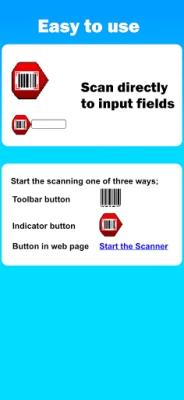
More About Scan to Web
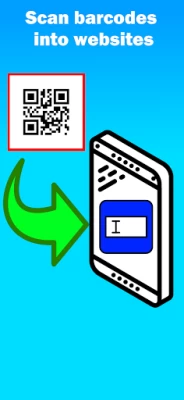
Scan barcodes into:
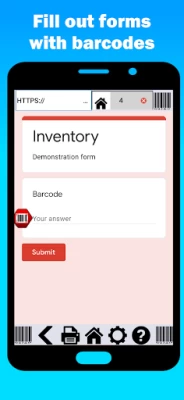
- Google Drive Forms (spreadsheets)
- Your own intranet website
- Any website
Features:
• Speak to web - Voice to text in your forms!
• Tab to next - Cursor moves to next field after scan.
• Duplicate scan check - to ensure reliable information.
• Javascript after scan - For web developers who want complete control after scan.
Scan to Web provides the Android device user with a basic web browser and the ability to scan into web fields on web pages the user has browsed to. No external hardware is needed. Scan to Web uses the camera scanner in your Android device to scan barcodes so it’s a great option for bring your own device (BYOD).
Use your own website for scanning inventory, check in/out sheets, attendance; any number of business related problems can be solved with Scan to Web.
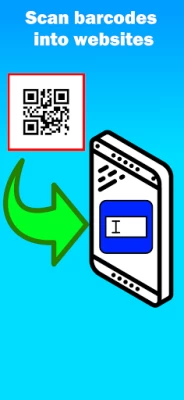
Open any web page or search engine and scan any barcode instead of typing.
+17 required as this is a fully functional web browser.
To scan into a web page:
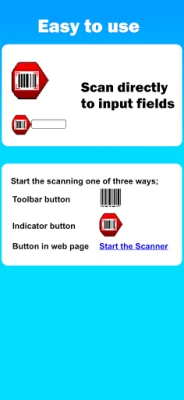
- Scan to place barcode result wherever cursor is on the web page.
- If text field is not active, scan result will be entered in first text field available
- If Submit on Scan setting is ON, the web page will “Submit” after the scan result
Settings:
- Scan Suffix: Submit on Scan or Do nothing. Determines what the web site will do after a scan
- Home page: URL of the home page in the app
- Hide address bar: Hides or displays the address bar when the app starts. Use [ Show/Hide ]
Subscription Model:
The app is free to download and test out, but after a number of scans, the app will ask you to subscribe. We are continually supporting and upgrading Scan to Web. Please let us know what options and updates you’d like to see.
Barcode symbology supported:
- QR Code
- Aztec
- EAN / UPC
- Code 3 of 9 (Code39)
(*10 to 15 characters max)
- Code 128 (Code128)
(*20 characters max)
- Code 93
- PDF417 (Driver's license)
- Data Matrix
Please note: Long values or multiple close Code 3 of 9 barcodes can become out of focus in the camera scanner and result in poor barcode scanning performance.
* LEGAL and In- App subscription requirements
Unlimited use subscription; yearly or monthly billing cycles.
Payment will be charged to your account at the confirmation of purchase. Subscriptions will automatically renew, unless auto-renew is turned off no later than 24 hours before the end of the current period. Account will be charged for renewal within 24 hours prior to the end of the current period, and identify the cost of the renewal. Subscriptions and auto-renewal can be managed/turned off in your account settings. Any unused portion of the free trial period is forfeited as soon as a subscription is purchased.
Privacy Policy
https://berrywing.com/scantoweb/v5/legal/ScantoWebPrivacyPolicy.html
Terms of Use
https://berrywing.com/scantoweb/v5/legal/termsfeed-terms-conditions-html-english.html
Latest Version
6.1.12
October 24, 2024
Berry Wing LLC Android
Finance
Android
114,762
Free
com.berrywing.scantoweb
Report a Problem
User Reviews

Terry Sechler
4 years ago
Junk does not work. Barcode scanner to internet and manual numerical input does not search web nor scan line going up and down is not a scanner.

A Google user
6 years ago
After few scans the app asked for subscription. I chose one time unlimited google forms Rs.850.00. The payment got confirmed and the app still asks for subscription when opened.

Радослав Иванов
1 year ago
It's good but sometimes is laggy

Ardy Shazril
2 years ago
When scanning, the camera resolution seems very low. Its blurry and laggy. Cant detect any barcode

loot lang
3 years ago
i already tested it,it works fine,i followed the instruction on youtube, but can i make a request? i am planning to use this as an attendance control for my students,is it possible to make it in the same sheet? example,when a student came in,it logs its time at "in" and goes red,when they goes out,it logs in "out" just next to "in" and will be going to get green. can i use it infinitely? i dont mind it having an advertisement, coz its where you guys gain profit from it,a 5 second ad will do,lol.

Jaymin Sukhadia
4 years ago
Wonderfully made... I was searching for a solution for inventory management for our store and finding a solution which can work with Google forms and bingo... You have done a great job team...

Jonathan Ho
2 years ago
Unable to get the app to work. I created the QR for my Google site, hit the gear icon, then the QR in the upper right. Once scanned nothing happens and I'm not seeing my Google site.

David Bagnall
4 years ago
Probably one of the worst apps in terms of U designI very hard to use interface is a disaster all over the place. Don't waste your time with it.

Will Pomeroy
2 years ago
Just testing at the mo. Looks good. Tried the scan settings QR code for Continuous scan to google form but it doesn't work. Is this feature no longer available?

chrispin Oyieng'
1 year ago
This app provides the best services for scanning barcodes directly to web pages. Thanks for making it available to us.

H Sab
2 years ago
The older version used to work just fine, there is an issue with the new scanner as it gets the wrong code, I have tried it with 5 different devices

Mian Shakeel Ahmad
4 years ago
It's showing in Arabic language whereas I tried to change the language but in vain. I have regional settings everything seems to fine. As the Google form is properly showing in chrome.

Ashwin P V
2 years ago
There is a problem in the recent update. The qr code scanner to update the home page is not working. Other qr scanner apps are able to read the same qr code.

ngutvc
2 years ago
1st time scanning fine, but 2nd barcode scan, msg comes for: no feild to set the barcode result was found on this web page, this barcode ........ was copied to clip board to paste manually. How to resolve this issue. Pl reply.

Renee A.
5 years ago
I'm a novice- Needed an app to catalogue the family's large personal library on a spreadsheet using the barcode as reference. Just tried it out, works great. Must watch the tutorial several times over. Plan on purchasing.

Eng Suai Tan
5 years ago
When I scan the barcode, the content of the barcode will not fill in the form. It appear the error "This is the required question". I need to manually key in the details in the form before submit. I am using version 5.2.6, I can't update newer version because I am using older android phone. Please help, thanks.

Mike G (Mike)
4 years ago
Awful, not only is it confusing as all hell, it also frequently randomly opens itself from within other applications in app web browsers so that i couldn't even determine which app was bugging and causing it to open randomly cuz then the app would freeze and need to restart my phone. Absolutely awful and probably a virus.

McJR TV
4 years ago
can you do continuous scanning for the Google form feature like it would automatically go back to HOME after automatically submitting? it would be big help so that user won't have to press home button. Update: It worked (continuous scanning) but I initially get error from Google asking "Stay or Leave the page". Do you have workaround for this?
A Google user
6 years ago
Broken. Doesn't focus the camera. Edit: You just replied saying I should have turned on v5 scanner.. there is no such option on the app. It just doesn't focus the camera at all. Why would I need to change a setting anyway. It's an app that just use the camera, the most basic requirement is using the camera and focusing it! No one is going to bother contacting you if it doesn't work at all, just move on

Michael Bartley
5 years ago
Not a very customer experience focused group. Great idea but even with YouTube videos, it would take less time to write something from scratch than try and decipher how to use the app. Should probably ask people to figure out how to use it with what you offer and little guidance beyond that, then work out what needs adjustments (ie. Less obscure user guide) functional but very meh.









