Photo to Sketch - Sketch App
December 16, 2025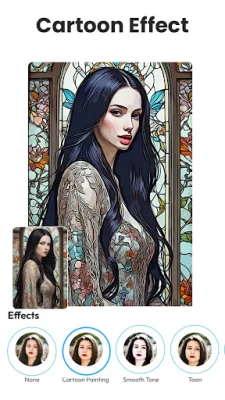
More About Photo to Sketch - Sketch App
Key Features of Photo to Sketch - Sketch App
✏️ Photo to Sketch Maker
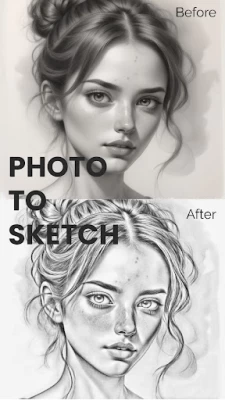
Transform any picture into an impressive pencil sketch with our photo to sketch feature. Whether you want a light outline or a detailed drawing, this sketch app lets you create the perfect artistic sketch for any image. Choose from different sketch styles like pencil sketch, ink, or charcoal for the amazing effect.
✏️ Realistic Sketch Styles
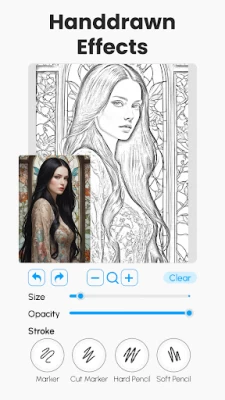
Select from various sketch styles, such as pencil sketch. Control the depth and intensity of the sketch, ensuring that every detail of your photo sketch is perfect.
✏️ Editing Tools for Sketches
Once you've turned your photo to sketch, use Photo to Sketch - Sketch App’s editing tools to enhance your work. The app lets you refine your pencil sketch by sharpening edges, applying contrast adjustments, and more. Use the outline photo to sketch editor for creating bold and dramatic outlines to emphasize key parts of the image.
✏️ Filters for Artistic Flair
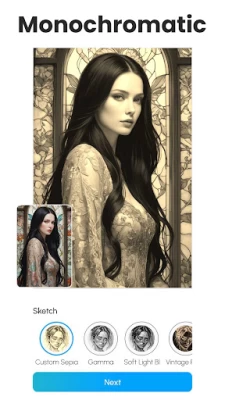
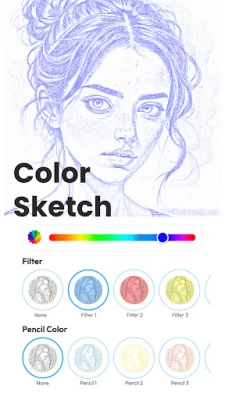
Take your sketches to the next level with artistic filters designed to add style and creativity. Photo to Sketch - Sketch App offers a variety of filters to give your sketches a more personalized look. Add color, adjust tones, and apply special effects to your pencil sketch or use filters to transform it into a unique piece of art. Apply filters that change your pencil sketch into a retro and vintage sketch.
✏️ Portraits and Personal Projects
Create a pencil sketch from your favorite selfies or family photos using the photo to sketch tool, perfect for framing or gifts. Use the sketch app to design unique and artistic visuals for your online presence. Turn cherished memories into artistic pencil sketches that you can keep forever.
Why Choose Photo to Sketch - Sketch App?
👉🏽 This photo to sketch app is packed with features that allow you to convert any photo into amazing pencil sketch. The photo to sketch maker makes it easy to use even for beginners, and the outline photo to sketch editor helps you add the perfect finishing touches.
👉🏽 With numerous artistic filters and custom editing tools, it’s more than just a sketch app. It's a creative outline photo to sketch editor for anyone looking to make professional quality sketches without any effort. Plus, the photo to sketch feature ensures that you can access the tools without any upfront costs.
Whether you’re working on a personal project or creating artwork for social media, Photo to Sketch - Sketch App is a versatile tool. Convert your memories into elegant pencil sketches, use the photo to sketch maker for gifts, or even create custom marketing materials. The sketch App is ideal for anyone who wants to create stunning artwork without needing professional skills.
Don’t wait, download Photo to Sketch - Sketch App now and explore the limitless possibilities of creating beautiful artwork from your photos!
Latest Version
December 16, 2025
Riderem
Design
Android
97,621
Free
com.pencil.photo.sketch.maker.editor
Report a Problem
User Reviews

Narendran Gananathar
5 months ago
Amazing App! No ads. No hassle!

Michael Hodgkinson
5 months ago
fantastic learning aid, it helps me to pencil draw. fantastic aid.

Jessica Hubbard
1 month ago
so far so good . Thank you

Understood Truth
2 weeks ago
Drawing controls are touchy.

wendy hazelwonder
4 months ago
best app ever. no ad issues, works immediately. lots of options, none locked. using it to make a family photo coloring book. hats off to this creator and a huge thank you as well

Kaiser
8 months ago
Trash app Okay so i tried it and it(the edited photos) doesn't look like a sketch it just looks idk like the contrast has been increased and changed to black and white I'd recommend putting some new filters. I still used it for a while tho and for that ill give 3 stars

saif rajpoot
1 month ago
outstanding app for sketch and Ai images generator

Tammy Payne
4 months ago
I installed it, I uploaded a photo, it does nothing with it. Not sure if it's me or the app? So I put rating in the middle. I'd like to use it.

Dale Searle
1 month ago
did what i needed it to do and it was easy to use

Bever Branson
2 months ago
thank you, sketch for a painting well defined subject THANK YOU

ankhara3
1 month ago
Just started. Not enough time to rate.

G Hart
7 months ago
unfortunately, after loading the image into the app the sketch does not show. It returns to the site where you have to click+ to add the image again. In a split second you can see the drawing but it disappears in a blink and you have to upload the image again and again and again and never get to see the results. Sad, cause that split second looks pretty nice.

Penny Bennett
1 month ago
great not many ads which rlly boosts my experience and the images look fantastic 😍

Drakena Designs (B)
2 months ago
I'm giving this app a 4.5/5 simply because there's very few ads, it's simple to use, and I can do what I need to for free.

Bobber down On it
4 weeks ago
why or how do you expect me to give a rating on something that I have not used? i used it but unable to provide an honest opinion because you are only allowed 3 mistakes per day for the free version and experience is paramount. same uno star

Lisa Coler
3 weeks ago
Just starting. I believe I'm getting great cues as to drawing family members and self portraits. ty.

Leon
2 months ago
A modern free app that actually works, isn't overloaded with ads, and doesn't try to trick you into a subscription. Five stars all day

Vanessa Zakeva
2 months ago
the app is useful but there should be a remover of perfect horizontal and perfect vertical lines option because the ruled paper blue horizontal lines in the drawing is turned into a sketch as well :( I am drawing in a regular paper with blue horizontal lines

S King
4 months ago
The app is nothing special, laggy, pay walls are for untestable features. I am not impressed with what is free. Thus, I am not paying based on the unoriginal Basic filters and subpar output. If I could try out what is behind the pay wall before you have my money, then maybe I'd be more likely to pay. it's not the worst app, it's not annoying with ads or pushy.

Jenna Lynn
2 weeks ago
It could have more options in terms of the cartoon option. There are only two options. Also, if you could use a filter as well as change the color of the pencil at the same time it would be cool. Ex: Use a blue filter so everything appears blue but then change the color of the pencil to yellow or orange to make the outside l the outline pop.









