

Mobile SSH (Secure Shell)
October 19, 2025

More About Mobile SSH (Secure Shell)
Latest Version
4.12
October 19, 2025
Gao Feng
Communication
Android
1,848,803
Free
mobileSSH.feng.gao
Report a Problem
User Reviews

A Google user
5 years ago
Thank you for this putty mobile altanative. Worked well can use see some i.provements like disconnect. A little hard to nagivate it's interface. But in the end work great

Mark (MarkFace)
7 months ago
app no longer works once upgraded to android 15, i'm unable to connect

Mark Haury
4 years ago
Useless. No cursor control, no ctrl character support, can't do anything but log in and out. Managed to screw up and lock an important file, though.
A Google user
6 years ago
cant detach from screen with "ctrl+a,d". i appreciate the effort with individual commands, but you should just make a ctrl toggle that lets you send " ctrl+x" with the existing textbox.
A Google user
7 years ago
Brilliant app; really useful while establishing ssh connection between my android phone & my laptop where CentOs 7 is installed. All those major Linux commands can be performed on it's CLI ( & it does hold the connection. ) .Not disappointed at all.
A Google user
6 years ago
Awful experience. Force disconnectiom from server any time I switch to another app and comeback. Trying to copy text would ONLY copy the whole console text. Uninstall after 1 minutes of time wasted.

Zoey Smith
3 years ago
Lacks the most basic of functionality you need to navigate common ssh interfaces without a keyboard attached. And cannot even display more advanced interfaces like raspi-config.

William Duncan
5 years ago
It disconnects you from the session every time you switch to a different application. So if you want to copy your password, then copy a bunch of commands: it's not gonna work!

Evil Ted
1 year ago
Felt like i was back in 1980, but in some scifi movie of the era. I was expecting to see marty mcfly, but he never showed up. Maybe next time i will put the right coordinates into the flux capacitor, and help out the doc. maybe that will bring it into the modern world
A Google user
6 years ago
No option to copy portion of text and it copy all the text visible in the screen so not find useful. Need to give a try with other app.

Kristy C
4 years ago
Works but UI unreadable. All the buttons on my screen have white text on a light grey background. Could use the app but with straining my eyes. Had to Uninstall

Piotr Statuch
5 months ago
totally useless. ads show up every time I switch to other app. this pretends to be putty but isn't. I would give it 0 stars if I could
A Google user
7 years ago
Has all the basic features you would expect. Missing: Most importantly: ctrl+ anything comand Also needs a complete restart from within the app, so we don't have to force close it reopen if it gets stuck (for example when we need to send a specific ctrl+something comand to get back on the terminal)
A Google user
6 years ago
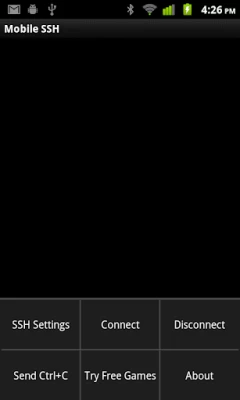
When installed it opens fine but I'm just looking at a blank screen with a keyboard and whenever I type something it'll tell me the command was not sent because there's no SSH connection but there is also no option to connect at all I tried everything and no option to connect so basically all this app is for me is just a black screen with my Keyboard and a bit of text, I'm disappointed because this used to work well.

Jared Tanner
2 years ago
Uninstalled almost immediately. The SSH works just fine, but the ads are intrusive and super annoying. Every time you exit the app and come back in, a full banner ad pops up, and I accidentally clicked it more than once. I installed Termius instead. No such issues.

Paul K
5 years ago
Lacks basic functionality, UX could be better. Doesn't support host key verification. Doesn't allow saving username. Doesn't support key based authentication. Opens to an empty terminal and makes you go into the menus to define hostname and connect. There are a lot of better options for SSH on Android.

K&K Service Team
2 years ago
In case you're looking for PuTTY, this is definately not the original to begin with. Secondly, the data exchange responsiveness is the same as a 300bps Bulletin Board System. Last, the way too intrusive full-screen advertisements make the app all but a productive and enjoyable tool to work with half a world away. Bottom line: Not recommended at this point of time.

Ultimate_ Engineer
6 months ago
the desktop version has no ads, no bs ssh software. this glorified copy has ads. their literally profiting of a software they didn't even make.

Dan
1 year ago
Currently it cuts off my screen on top and on the bottom. Cannot see the text I am typing just the very top of the letters. I have a pixel 7 pro. It used to be fine. 2nd issue Forced ads Everytime you switch to another app and back to check for commands. Plus it ends the connection because of the ad. Thought about going premium but the way the app has changed I am not sure the right mentality is behind the app.

Pav Pev
3 months ago
Now riddled with ads. Such a shame as it used to work well but now I get ads every line and it disconnects me so basically useless now.









