

MagicQ Remote Control
December 12, 2025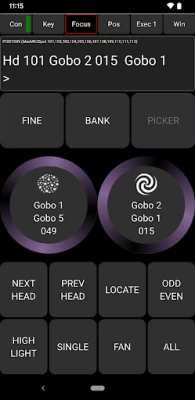
More About MagicQ Remote Control
ChamSys Ltd
MagicQ Remote Control
ChamSys MagicQ systems provide leading edge control of stage lighting, LED pixelmapping and media systems. The MagicQ Remote enables remote control of MagicQ systems including MagicQ consoles and MagicQ PC Wing solutions.
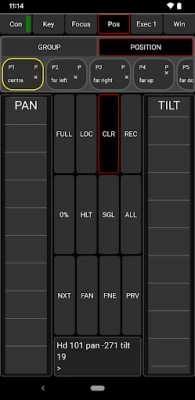
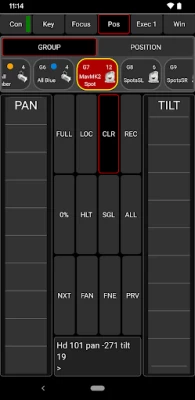
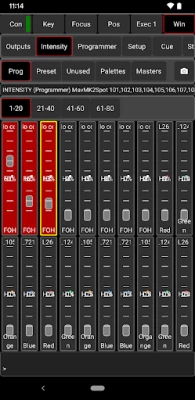
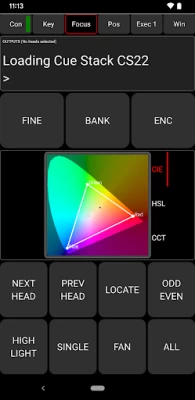
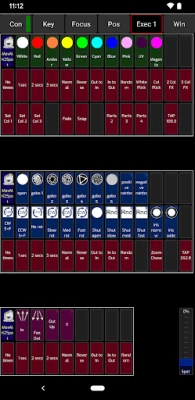
MagicQ Remote supports focusing with pan and tilt controls, colour adjustment using the rainbow colour picker and rig testing through the unique MagicQ Execute Window. Palettes, Groups and Cues can be edited and updated.
ChamSys MagicQ software supports up to 102,400 channels (200 DMX universes) and is available to download and use for free from ChamSys website www.chamsys.co.uk.
For instructions please use the in app link to the manual; go to Connection, Help and tap the Open Manual button.
For bug reports, please submit them to our bugtracker: https://secure.chamsys.co.uk/bugtracker/
To try the latest beta version of the app with new features and bug fixes select this link: http://bit.ly/MQRCAnd
To revert to the normal version scroll down to the "You're a beta tester" section at the bottom of the Play Store listing and select Leave.
Please note, we cannot guarantee that beta versions will be stable and they should not be used in a critical show environment.
If you have a black screen at startup make a two fingered swipe gesture across the screen to switch out of Install Mode.
Latest Version
4.20.3
December 12, 2025
ChamSys Ltd
IT Tools
Android
52,512
Free
com.TinRaven.MagicQQT
Report a Problem
User Reviews

A Google user
9 years ago
Really helpful especially when it comes to focusing.
A Google user
11 years ago
Keeps crashing on open, continuously. Better than the old app, but still needs work.
A Google user
10 years ago
Very handy app for controlling Chamsys Magic Q pc or MQ60
A Google user
7 years ago
Love the app, but my icons don't show up, the buttons are there and they work you just can't tell what is what. I use a 10" tablet, but it seems to work on a 7". I don't Know if there is anything I can do to fix this

Harry Fader
3 years ago
After last update app freezes, multi touch doesn't work. What to do?
A Google user
6 years ago
is there any way of changing display options? on Oneplus6 app is showing up in tablet resolution. focusing buttons are unusable.
A Google user
6 years ago
will you guys be adding support for Chromebook? this app does not function properly on a Chromebook.
A Google user
6 years ago
never works and no instructions. No thnx, aint gona waist my time on that. u should just fix it thows mistakes arnt hard to find. Instead of asking me to spend a day explaining to you. Fix the program then let it out.

Groove Merchant Northwest llc
2 years ago
Love the app but I opened for first time this year and now it is not compatible with any of my android devices? Works on my apple ipad pro but that's it? Wont download on my windows PC either, was there and upgrade that now requires new android or windows operating systems??

Wout Onselaere
1 year ago
I tried it with my laptop (with blue hardware connected). I recently got an mq40n but can't seem to connect to the app. Does the mq40n lack this feature? Greetings from Belgium!
A Google user
6 years ago
great app but cant see whether or not the execute buttons are active. the text has a white background behind it meaning i can't see the button illumination behind that.

Vanja
4 years ago
The app itself is great and helps especially with operating lights from the execute window. But in the new app update special buttons (page up, page down, lamp off) doesnt work at all. when I try press for example page down button, nothing happens, but when I do the same thing on pc, it works well. What should I do to fix this problem, or is it just an app bug?









