Design Studio: DIY Craft Space
August 18, 2024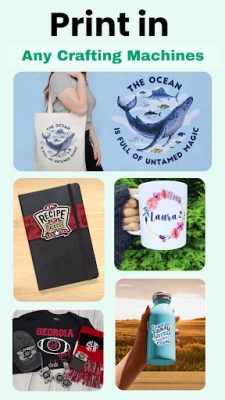
More About Design Studio: DIY Craft Space
In addition to the pre-made designs, Design Space Studio also offers a range of advanced design tools that allow users to create their own SVG designs from scratch. This includes a range of drawing and editing tools, as well as support for importing SVG files from other design programs. With these tools, users can create custom designs that are perfectly tailored to their needs.
Once a design is complete, Designer Space Studio makes it easy to send the design to a cutting machine for precision cutting. This allows users to easily create custom-cut files, monograms, and stickers that are perfect for a wide range of applications, from home decor to personal crafts and gifts.
In short, Designing Space Studio is a must-have app for anyone looking to create professional-quality designs for use with their cutting machine. With its extensive library of pre-made designs, powerful design tools, and seamless integration with cutting machines, this app makes it easy for users to create custom SVG designs, cut files, monograms, and stickers that are perfect for any project.
Features of the Design Space Studio App:
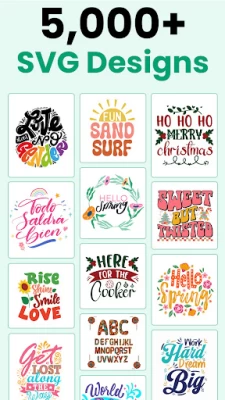
• More than 5,000 FREE images, fonts & projects
• More than 1000+ watercolor images
• More than 200+ watercolor overlays
• Upload & edit image files and monograms (.jpg, .bmp, .png, .gif, .svg, and .dxf)
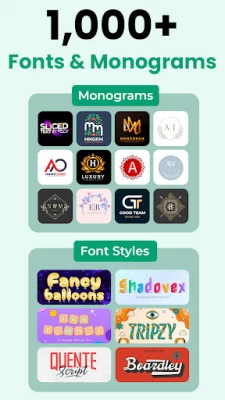
• Browse more than 5000+ fonts or use Monogram Fonts
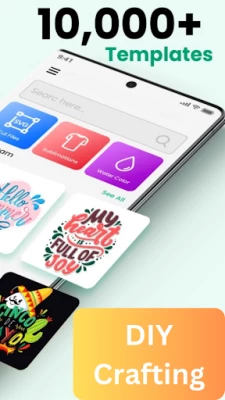
• Cut readymade SVG cut files to make projects quickly & easily
• Make cards, DIY projects, brochures, 3D designs & more
• Design home & party decor, DIY crafts, jewelry, and fashion accessories
• Acquire wonderful cut settings for your material type
• Imagine & draw artwork on scrap material
• Access images, monograms & projects on Design Studio
• Setup & activate the machine easily from the Joy app
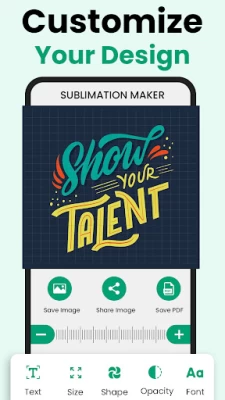
• Easily position, resize & rotate text and monograms with font kerning
• Step-by-step project guidelines
• DIY mug designs
• Auto-save projects
• Cut files, fonts, monogram fonts, and stickers are fully compatible with Design Studio.
You have complete creative control over your upcoming DIY project with Design Studio. Create anything from scratch or choose from thousands of SVG Cut files, monograms, fonts, and monogram fonts in our Image Library. Create entertaining or useful DIY projects for your crafting needs using the amazing app. Additionally, DIY Design Studio offers 200+ watercolor overlays in addition to 1000+ watercolor stickers. You may even use this app as a Design editor or a Watercolor logo maker to design watercolor logos for your upcoming craft project.
With the help of the DIY Graphic Designer Studio application, getting started on your own do-it-yourself project is much less of a hassle than it ever was. It doesn't matter if you're just curious about your own artistic potential or you want to give your wildest ideas a visual form, this graphic design tool is always there for you.
Disclaimer: This application is not affiliated with any of the Cricut products e.g,
Cricut Joy
Cricut Joy Xtra
Cricut Explore
Cricut Maker
Cricut Venture
Cricut Heat
& Cricut Design Space in any way. Moreover, it does not possess the functionality to connect with Cricut machines, including but not limited to the Explore Air 2, Joy, Heat, Venture, or Explore 3.
Latest Version
16.0
August 18, 2024
Label Maker
Travel & Local
Android
21,122
Free
com.svg.design.creator.diy
Report a Problem
User Reviews

Jenny Jones
2 years ago
In love with everything about cricut

T Lewis
2 years ago
Bullcrap ....don't download it

Gordon Coffelt
2 years ago
Only downfall is you have to pay to use it

Amber Spracklen
2 years ago
Their isn't to much to choose from

Krystal Armstead
2 years ago
Was looking for Crichton design space. Don't do it.

The Secret ss
2 years ago
Design Studio v bested app maindblong raly I use full application v bested I recommend thes appreciation..

Sh Yaseer
2 years ago
Very useful and beneficial application and I like it ....

chrystal noble
1 year ago
It doesn't explain how to use it

Leslie Oglesby
2 years ago
Can't print and can't get ahold of any one. Want to cancel

Nope
2 years ago
Returned the cricut because having to recalibrate every time I used it was idiotic.

Tracy Allison
1 year ago
Impossible to figure out after you have used the old format

Marie Rosie
2 years ago
Design studio for cut machine made fabulous designs which are very astonishing and attractive. Highly recommend their services 👌

Kumar 05raj
2 years ago
Design space for circuit is very wonderful and amazing application vi like it so amazing application

Bertrand Bertrand
2 years ago
Design studio is so wonderful and outclass application. I like it so awesome application ....

jason bass
2 years ago
I need to cancel my 3 day trail and there is no clear option for canceling.

Waseem Mian
2 years ago
Design space for circuit is very wonderful and amazing application vi like it so amazing application....

Dy05 Hamza
2 years ago
Design studio is very mind blowing and gorgeous application. I highly recommend this application I like it....

Syed Ali 26un
2 years ago
Design Studio For Cut Machine is very outstanding application. It's working really great. Awesome application👌🏻

Maiya Sweeney
2 years ago
DO NOT DOWNLOAD. I've had to buy a subscription multiple times before o fogured out what was goimg on. . Every time you open it you have to buy a subscription to use most of the content. There's no way to log in and your subscriptiondoesmt save. It's a scam.

Kamala Greenwood
2 years ago
Filled in hexagon is a premium shape? I couldn't find a way to edit anything beyond a basic shape, rotation, and color. You'd think I could use multiple shapes to make my own designs but it's basically just resizing their pre made designs.









