

Cricut Heat: DIY Heat Transfer
August 04, 2024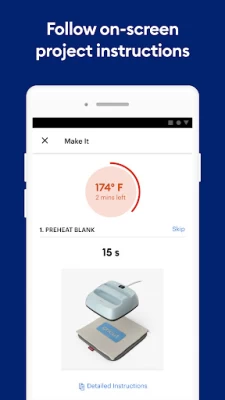
More About Cricut Heat: DIY Heat Transfer
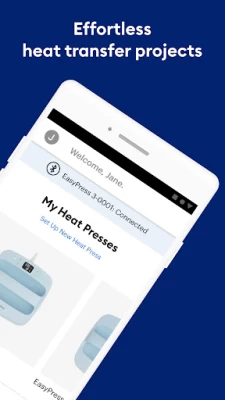
From transferring iron-on designs to cotton tees to custom pro-level hats and everything in between, the Cricut Heat™ app has you covered at every step – from a thorough supply list to the correct stacking order, to the big reveal.
----> Note: This app only works with Cricut EasyPress 3 and Cricut Hat Press smart heat press. For previous models, use the online interactive Cricut Heat Guide at cricut.com/heatguide
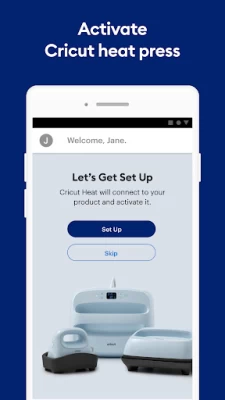
New to Cricut®? Welcome! The app will walk you through product set-up and activation – just follow the on-screen prompts.
Existing members can sign in using their Cricut ID to set up and activate the press.
FEATURES
● Customised instructions for your project – from preheat to post-press peel to the big reveal!
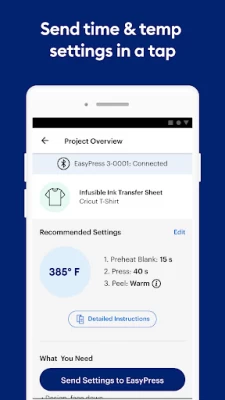
● Optimised time & temperature settings for virtually any heat-transfer project
● Auto-saves last 3 settings for quick access
● Convenient supply lists
● Custom settings option
● In-app notifications for one-tap firmware updates
● Connects to existing Cricut ID
● Includes in-app Cricut EasyPress 3 and Cricut Hat Press User Guide
● Help links & videos, right from the app
HOW DOES IT WORK?
1. Download & open app to set up Cricut EasyPress 3 or Cricut Hat Press
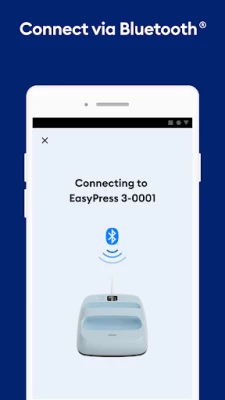
2. Connect press via Bluetooth® (the app walks you through it)
3. Pick what you want to make, then follow the on-screen instructions
WHAT IS CRICUT EASYPRESS 3?
Your favourite Cricut heat press just got smarter. Use Cricut EasyPress 3 with the companion Cricut Heat app to send ideal time and temperature settings in a tap, plus get step-by-step instructions for every project – you'll know exactly what to do from preheat to post-peel to the big reveal. With adjustable heat up to 400℉ (205°C), Cricut EasyPress 3 combines the speed of a heat press and the convenience of an iron, so you can get fast, effortless results that really last. Works with most major brands of iron-on, HTV and all Infusible Ink™ materials. Includes an insulated safety base and auto-off feature for peace of mind. Cricut EasyPress 3 is lightweight, portable, and easy to store. It’s a perfect complement to Cricut cutting machines.
WHAT IS CRICUT HAT PRESS?
Meet Cricut Hat Press™, the perfect heat press designed for hats. Its curved, ceramic-coated heat plate reaches three levels of heat up to 400ºF (205ºC) for consistent, wrinkle-free transfers. Simply place your hat on the Cricut Hat Pressing Form to create a firm pressing surface. Attach your design to your hat and send precise time & temp settings from your mobile device with the Cricut Heat™ app via Bluetooth connection. Start the timer and the press will let you know when the transfer is complete. Press with peace of mind using safety-conscious features like auto-off, a comfortable grip & a safety base. Works with all major brands of iron-on/HTV, Infusible Ink™ & sublimation materials. Excellent complement to all Cricut cutting machines.
NEED HELP? WE’RE HERE FOR YOU.
- Chat, Call or Email Cricut Member Care http://help.cricut.com
THE FINE PRINT
Use of the Cricut Heat app is subject to Cricut’s Terms of Use at cricut.com/legal. (You know how those lawyers are.)
Latest Version
1.1.2
August 04, 2024
Cricut
Travel & Local
Android
124,177
Free
com.cricut.heatpress
Report a Problem
User Reviews

Stefan Savage
1 year ago
Can't believe I'm forced to download an app just to be able to use a product I spent over £200 buying.

Betty Maxie
3 years ago
I am haven't problem connecting my heat press, keep saying I have to download the app, app had been downloaded.

Effects Everytime
3 years ago
These cricut apps don't seem to do much, i have an explore air 2 and can't even find a app to work with it

Mathaniel “SugarSkullFace” Tuller
1 year ago
A very good tool to have, but you could just as easily go to the heat guide online.

Jennifer Radke
3 years ago
Cannot connect to heat press. The app installs and then goes no further. I am so incredibly frustrated

TAMERA Stalik
3 years ago
4/18/22 Uninstalled the app, downloaded again, still does not recognize :( Tried force stopping app and that doesn't work either.

Michael Byléhn
1 year ago
Why do I need to relogin?? I don't use it much and every. single. time. I need to dig out the email adress and password used.

sandy brown
2 years ago
worst app ever!!! it has been 2+ hours and i still cant get my press to activate!! How do you expect me to buy product for crafts when I cant even get started.

Brittney P
2 years ago
This makes using my heat press and mug press fail-proof. It has all the materials and their temperatures for best adhesion so there's nothing to think about!

Jana Hill
1 year ago
Infuriating that I have to download an app to use a glorified iron. Totally unnecessary and immediately deleted it!

Anthony Howser
1 year ago
Garbage app. Won't let me use the heat press I bought without creating an account and won't let me create an account without installing a different web browser. I'm returning the press and never buying another Cricut product.

Samuel Wilson
1 year ago
Yea.....soooo.... again.. why does a heat press need my location?..I actually did some digging. Since they don't want to respond to emails. I'll just post here. I'm seeking lawsuit against you all for false advertisement. Privacy violations, etc.. you all need to scrap and redesign and relaunch. Or give it up all together. All the reviews you see that are positive are their bots and employees making false statements.

RAG Productions
1 year ago
The app sucks, can't connect to my press without it disconnected the Bluetooth, I'm unable to do an update cause of it. Great way to waste money 👍

Chandra Anjelica
2 years ago
Hat press took forever to connect. I realized that you might need to clear the app cache and data. Reopen it and turn on your location. Then it should connect in about 1 min. Worked for me. Good luck.

John Shedeed
3 years ago
Horrible app. Force closes when trying to activate. Opened on a tablet with an older OS and was able to get past, but now will not connect to heat press. Good thing I have an IOS device as well.

Khaleesi Dragon
2 years ago
Fairly simple to set up. My only issue is that you have to have an app to activate it initially. Although it's a good thing you can use the press without it afterwards. However, to set specific heat settings you have to use the app which requires location 😡🥺 for why 🤦🏾♀️🤷🏽♀️. Worked as intended.

Katherine Chans
3 years ago
I think it's the dumbest idea to have to have Bluetooth the register the device. It took me multiple tries, deleting and redownlading the app and realizing what they really want is your location on to recognize the hat press.

randy cantrell
2 years ago
A zero is a more appropriate score since I was never able to get the app to log me in. Created several accounts, always got the wrong email or password error. Attempts to reset the password never work. Returning the appliance and deleting the app

AUDREY “MULESKINNER 2.3. VICTOR” VENNING
3 years ago
OMG! CRICUT NEVER DOES ANYTHING SIMPLE OR USER FRIENDLY! I jumped through hoops for 2 hrs to get this app to recognize my new hat press! SMH! I believe they do it on purpose just to frustrate us and to waste our money. I see why so many people selling their Cricut devices because the learning curve isn't always straight forward from the first attempt.

Px B
1 year ago
Amazingly easy to set up. Plugged in, switched on after download of app and connected without a hitch in less than 10 mins, including running the firmaware update!! Just carried out the practice run with the pre-cut iron-on vinyl and canvas bag following the app instructions and vióla success 👌. This app is so easy to navigate through the pre-programmed different heat settings and timings. Make your selections and send. Simple and saves time!!!









