

Cloud Backup and Restore
December 14, 2025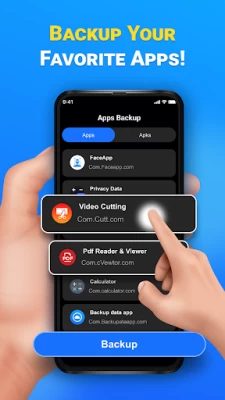
More About Cloud Backup and Restore
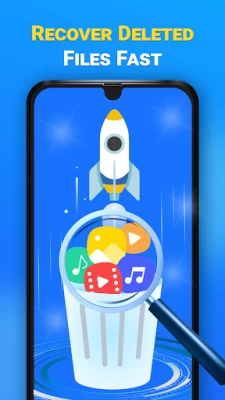
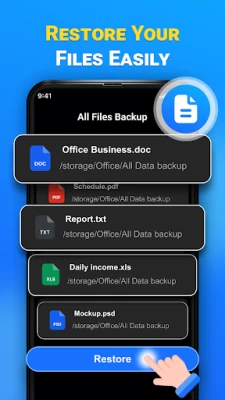
Restore: Recover your data whether you unexpectedly lose data or setting up a new device.
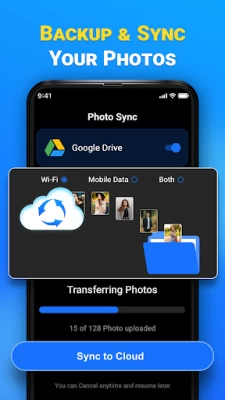
Sync Photos: Sync your camera photos to cloud storage.
Cloud Storage: Your data is secured and accessible in the time of need with just a single tap.
Compatible: Use App in any android device and restore your precious data.
About this App:
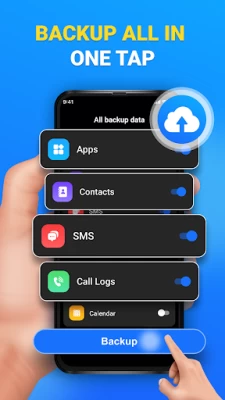
Backup your valuable data quickly and easily on Google cloud. Don’t worry about losing data whether it's Images, Audios, Documents, Archives, Calendar, APK files, Contacts, SMS, and Call logs.
Supported Categories
Images that contain popular formats such as JPG, PNG, and GIF.
Audio and other types of sound files including recording, MP3, and WAV.
Support various types of documents like DOC, XLS, PDF, and .TXT.
Help in backing up Archive files for example ZIP and RAR.
Backup your calendar events and appointment entries. It supports Google Calendar and System Calendar App.
Backup all your app preferences and data by Saving APK file.
Safeguard your important Contacts.
Keep your Conversations/SMS secure.
Ensure your Call Logs are safe.
How does it work?
Turn on the app and allow all the necessary permissions. Sign to your Google account by clicking the Connect to drive button. Now, Select the specific category you want to backup. Afterwards your backup will start. Easily restore all your data by clicking on the Restore button, rest all the procedure is the same as backup.
The given below Permissions solely used for backup purpose:
All File Access
To provide backup services we need All File Access permission in order to read directories in your device to take the backup of images, audios, documents, archives and APK's files this permission is needed.
SMS Permission
For the SMS backup service, we required permission to read/write SMS. you first need to set our app as the default handler. After performing the restoration process you can revert back to your default SMS/Messages app.
Call Logs
To provide comprehensive backup services, we need call log permission to read call logs.
Contacts
Grant access to contacts permission for a smooth backup process.
Calendar
Allow access to calendar events for reliable backup flow.
Other Permissions
Request install packages permission
Query all packages permission
Premium Feature
Auto Backup
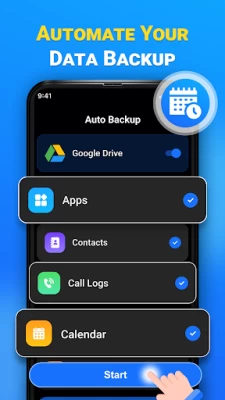
With the Auto Backup feature your data will start backing up automatically.
Backup All
Backup all includes both System and Media Backup in just one click.
Image Syn
This feature will automatically sync all your captured images smoothly across all of your devices.
Additional features:
Support multiple languages
Sort data by name, date and categories
Important note: In order to take Backup and Restore data Google Sign-in is required.
Core functionality: The main functionality of this app is to provide backup services for your essential data using Google cloud storage. Protect your important data whether its Images, Audio, Documents, Archives, Calendar, APK files, Contacts, SMS, and Call log. Your valuable backup is secure and can be restored whenever it is needed.
Latest Version
3.7
December 14, 2025
Mutual Soft
Tools
Android
75,471
Free
cloud.storage.backup.restore
Report a Problem
User Reviews

Shonda “BLACK”
3 months ago
awesome

Mary La furno
5 months ago
great

Mithila “Mithila warsei” Woaresi
4 months ago
better

Md Tarek
3 months ago
like

Melvin Grant
3 months ago
good 👍

George w Higber
1 month ago
good

George
10 months ago
Pay to restore and it's a scam

Judy Horton
7 months ago
EXCITING TO PLAY ALL THE DESTINATIONS ITS FUN💙💙❤️❤️❤️❤️❤️

Janine Duffy
2 months ago
poor no proof of new storages

RJ Reynolds
1 month ago
Great results using this app

Elizabeth Battye
1 month ago
it's not a great idea to use this app.

Bobby Roush
2 months ago
charging you money to use this app

Shirley McDermott
3 months ago
I'm having too much trouble with this phone since I've received it July 5th

Sharmaine Baldago
2 months ago
you need to pay and if you didn't pay this app will not work so it's useless.

Lynn Kennedy
2 months ago
I can not rate. I have not used this cloud storage.

John Smith
1 month ago
Unable to set up mobile app. chat totally unsuccessful and not helpful.

Mandy Makombe
1 month ago
i did reset and I'm having trouble logging in to my google account yet I know my email address and password I'm not receiving a code on my number

Paris Jordanou - Malian (A Greek Abroad)
2 months ago
Guys I have emailed you about 4 times up to now to refund my money as you cannot remove the adverts on the paid version and I have heard nothing apart from you wanted to know what model my phone was! Will there be a fix for me or a refund?

Isaias Olivarez
1 month ago
so far my opinion in the class with security deposit new but no don't know what's really going on okay get my contacts can't get in any of my pictures and head over since 2017 don't know what exactly to do now Facebook memories and I just don't know how to go about it to get them back after deleting my account as it said that you can retrieve it by opening another account and then deleting that money as a recovering that original one find out it's impossible maybe just a bunch o hopes and lies









