

AweSun Client
December 01, 2025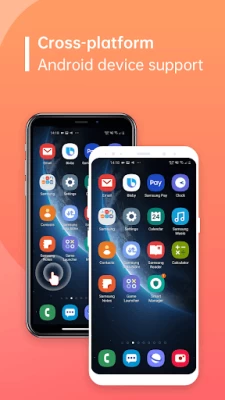
More About AweSun Client
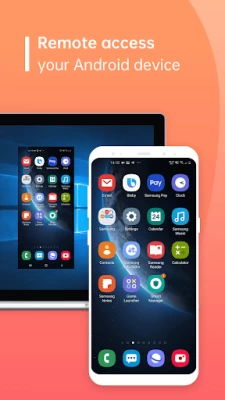
You just need to install AweSun Client on your Android device then you can remote control your Android device anytime you want.
It has never been easier to troubleshoot devices!
Easily support a mobile world on the go.
-------------FEATURES---------------------
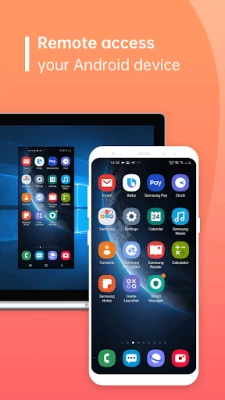
• Remote Access phone screen
• View device information
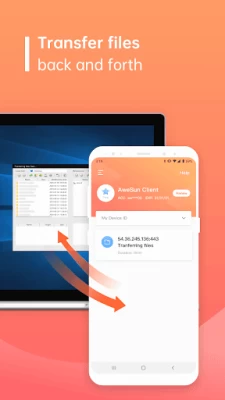
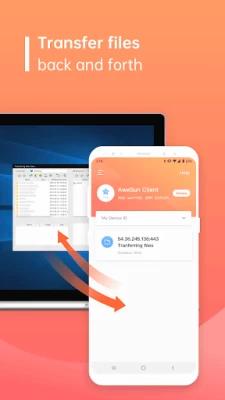
• Transfer files back and forth
• App list (Uninstall apps)
• Push and pull Wi-Fi settings
• View system diagnostic information
• Real-time screenshot of the device
Visit our website https://sun.aweray.com/ for more detailed information to get your remote assistance.
------------HOW TO USE------------------
1. Download and install AweSun Client.
2. The other side, (e.g. the trusted partner), needs to install and start the AweSun on his/her device (download at https://sun.aweray.com/download).
3. Share your Device ID with your trusted partner, who is using the AweSun with Pro or Game Subscription.
Why Accessibility Service API?
AweSun Client harnesses the power of the Accessibility Service API to empower users with diverse needs. This API enables us to deliver two fundamental features: "Remote Control" and "Remote Viewing." Here's how it works:
1. Remote Control: Empowering Access
With Accessibility Service API, AweSun Client allows you to remotely access and manage your devices. This is particularly valuable when physical access is a challenge or convenience is paramount. Whether you're troubleshooting, multitasking, or assisting a colleague, our app ensures a seamless experience by enabling you to control your device as if you were right in front of it.
2. Remote Viewing: Collaboration Redefined
Through the Accessibility Service API, AweSun Client facilitates remote viewing of your device's screen. This feature enhances teamwork, learning, and technical support by allowing real-time sharing of what's displayed on your device. Collaborate effortlessly, seek assistance interactively, and learn cooperatively with the power of remote viewing.
Your Privacy Is Paramount
We understand that your privacy and security are non-negotiable. The Accessibility Service API is used solely to enable the Remote Control and Remote Viewing features. We do not compromise your data integrity by engaging in unauthorized access or data mining. Rest assured, your data remains protected, and your trust is of utmost importance to us.
Accessibility Service APIs will not be used for:
Changing User Settings Without Consent: Accessibility Service APIs should not be used to modify user settings or prevent users from disabling or uninstalling any apps or services without explicit user permission. Exceptions include cases where parental control apps are authorized by parents or guardians using parental control applications, or when authorized administrators use enterprise management software for authorization.
Bypassing Android's Privacy Controls and Notifications: Accessibility Service APIs should not be used to circumvent Android's built-in privacy controls and notification systems. Apps should respect and adhere to the privacy settings and notifications established by the Android operating system.
Deceptive or Violative Interface Alterations: Accessibility Service APIs should not be employed to make deceptive or non-compliant changes to the user interface. Apps should not engage in activities that deceive or violate Google Play Developer Policies in any way.
Remote Call Recording: Accessibility Service APIs should not be used for the purpose of remotely recording calls. This practice is generally not permitted and can raise serious privacy and legal concerns.
Latest Version
2.2.1.38242
December 01, 2025
AWERAY PTE. LTD.
Tools
Android
118,661
Free
com.awesun.control.service
Report a Problem
User Reviews

Dylan McCollum
3 years ago
PC app is great, this app is garb unless you pay up

Kavita Balodiya
5 years ago
Sorry i uninstall this because this app working on upgrading app

عبدالله ال فرحد
3 years ago
If someone control my phone, then how can I protect my phone. Help me to protect my phone

Bipin
3 years ago
Now it's quite okay but sometimes it's not working properly

Praveen Sharma
3 years ago
Not work i use free vir for mobile control but not work

bhanu
5 years ago
Remote device is not free as it mentioned so i will give 1*.

S M
4 years ago
Scamers can use this to access your device so be careful. I just got saved by God today ,my bank account was hacked today

Mahadeb Hazari
4 years ago
This application is not autostart please update and optimisation this application

Mohammad Nazmus Sakib
4 years ago
Totally scam. Some youtuber making paid review about this app. It's not free to us.

Safe Life
4 years ago
Good very usefull and simple full free

Namrata Soni
1 year ago
This app is actually good but please increase the trial atleast 2 days.

Anjan Karan
4 years ago
Yes it's very bad... Asking for to upgrade . And asking money

Jitendra Modi
5 years ago
waste of time... nothing is working except screen mirroring!

Manish Kumar
4 years ago
Login issue Awesun Silent App Error Show Upgrade Remote Access/Support Android Devices With Awesun Subscription.Pro or Game

Mustafizur Rahman
3 years ago
Worst of and data please don't install it the AweSun application is very bad I swear Already I installed.

Mashud Akhter
4 years ago
Can't find connect option on my mobile device. But I was very good in previous version.

Sahil Kumbhar
5 years ago
Pls..... don't give bad reviews about this app because it is really a good app.because of the bad reviews people don't install it. It is a new app so there are bugs and more other stuffs but the 'Awesun Remote desktop' app is really good. This AweSun Client is made for controlling smartphones or mirroring them, but the AweSun app which is used for pc works really good. Try that app. I hope that the developers make this app more better.

Root Emui
3 years ago
I'm subscribed but I get ads after few days when running the app continuously, please fix this

Ray Zeng
4 years ago
Don't waste your data to install this APP, because you need to pay to use it. And they don't even mention it in the descriptions, such a waste of my time and money.

Manuj Borah
5 years ago
Don't install unless you want to pay for. They even don't let you login without purchasing the app. As advertised in there website it should be free.









