
Auto Transfer:Phone To Sd Card
December 15, 2025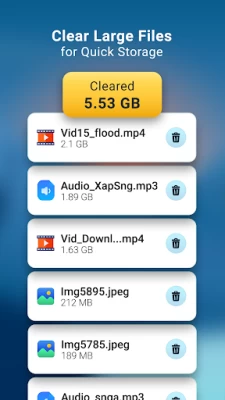
More About Auto Transfer:Phone To Sd Card
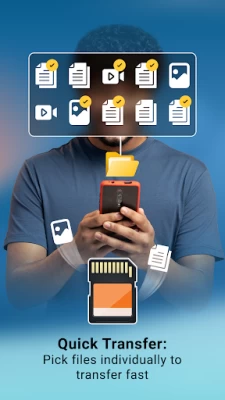
Transfer all your files to SD card easily.
Following file formats available:
- Audios
- Videos
- Images
- Documents
- Apk
Multiple file transfer at a time.
Two ways to transfer your data from phone to SD card:
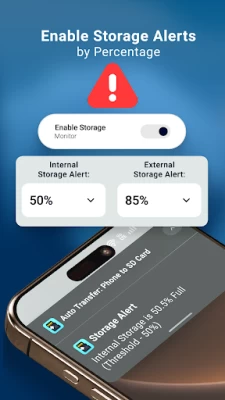
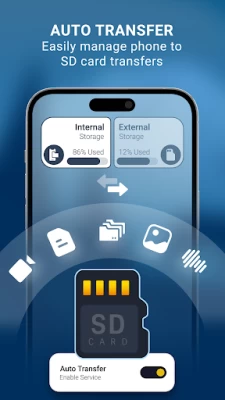
1. Auto Transfer : Just enable switch and selected path for source and destination it will automatically transfer data when got it on particular path. don't transfer manually save time and increase space of your internal storage.
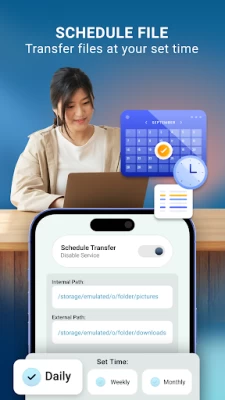
Data transfer to SD card daily, weekly and monthly wise.
2. Schedule Transfer: Enable switch and schedule your day and time with source and destination folder it will directly transfer data when schedule time got.
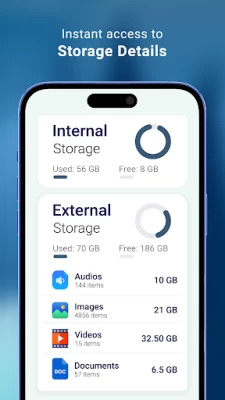
Internal storage and External storage file manager within the app.
You can manage easily of your storage data.
Used and free space data available to understand of space in both internal storage and SD card storage.
All large files list available for remove unnecessary files and make extra space.
User Friendly User Interface.
Required Permission:
READ_EXTERNAL_STORAGE : get data from your storage and display in app
WRITE_EXTERNAL_STORAGE: to write data in SD card storage(move or transfer files)
MANAGE_EXTERNAL_STORAGE : For android 11 this permission is needed for data transfer and storage access
Latest Version
1.62
December 15, 2025
Move More Solutions
Tools
Android
691,981
Free
com.sparkapps.autotransfer.ks
Report a Problem
User Reviews

Sifiso Mabe
2 years ago
This app is a waist of time a data too many adds yoh people can create nonsense

Jeffrey Fochs (Bicycle Jeff)
2 years ago
Ads covered app to see what to do, ads too many🤮

bhuvnesh nagori
3 years ago
No actual work only adds and privacy permissions.

Michael Mills
2 years ago
Doesn't transfer the files and too many ads

Akail Haslam
4 years ago
Didn't like and litterally everytime you click something an ad pops up

Sebastian Rousseau
1 year ago
It's not very user friendly, plus doesn't really let you have access to much

nageshwar rao adhikarala
2 years ago
No settings. Doing nothing. Fraudulent activity. Only full of ads. Worst.

Kevin Jamieson
3 years ago
Early days yet ive put it on automatic transfer We will see how that works out LoL What a carry on ive bn stuck with full internal storage for too long and ive got an s.d card and cloud, google one As well hahaa.... Msybe it's just me🤔🤔🤔✌😤😤🙏❤🤣🤣🤣

Richard Sibiya
3 years ago
Very good app,i was looking forward for it to help me to transfer apps from my phone to SD card.

Clement Strmiska
2 years ago
Extremely easy to use! This is the only way I transfer my files to and then from my phone. I would recommend it to everyone I know!👍🙂👍😺 💯 A+

Garcia- RESOURCEFULLNESSSTEM
4 years ago
This app is pretty weak when I transfer 6 videos it crashes immediately and the adds are so annoying this app is very bad I'll rather use file manager to move my vids to my SD card

Martin Cooke
2 years ago
rubbish. didn't work and packed with ads. no problem with a few ads usually but this one takes the biscuit.

Muhammad Ali Pathan
3 years ago
This app is new for me because I installed it 30 ago so I hope that it will be easy and good work, but can I do move some apps from sd card to mobile phone internal storage thanks for the developers

Omar Mluk
3 years ago
why don't you create an app which acts as sd card and not a cloud. an app acts a software sd card which has 1tb memrory for basic and 16tb for premium. the app should be 10mb so that it can be downloaded by low memory phones that will be a boom prototype. just my imagination... have a nice day

Peter Natterer
3 years ago
Totally un-usable. Such large Ads cover so much screen you can't operate the app! I don't mind ads on trial-ware but is silly!

Martin Malmer
3 years ago
Nothing happened after setting up the folders. New screenshot still resided in internal folder. On to the next app. Only fail once.

Mike Jayanthee
3 years ago
Not very auto. You need to choose folder and then the files. Tiring to use app like that when you seem to have gazillion of files to move to the sd card.

Jeandre Botha
3 years ago
Not sure... App forces you to rate it or only exists the app of you don't rate it now... All of this before you even get to see the app and use the app for you to be able to experience it and then have a rating on it afterwards.... It's actually stupid cause how are they ever going to expect to get a good rating if you can't use the app first... But I'm sure if I keep the phone completely offline from network, then it should be a decent experience to use... Think again developers!

Siddharth Doshi
2 years ago
Thank god I didn't buy this. Lacks basic storage permissions. No persistent notification means this app can be killed anytime in the background. Destination directory can't be selected in external SD card by the tick button at the bottom right. But when we go back to the folder pairs menu, the second field of destination folder shows the directory we want to select.

Nomsa Daphney Nhlapo
8 months ago
alright not too bad but it works. believe me my storage went(UP To down). for them ads turn off mobile data and click the auto transfer. I recommend you select all and wait for all the things to be moved.you can do what you were doing just exit the app but don't erase it from app data. there's a catch=if you select all files they will be not organized(mixed up) so its kinda a you thing 😉









